
Restoring Trashed Comments and Images
In the advanced settings, you can restore deleted items or choose to permanently delete them.
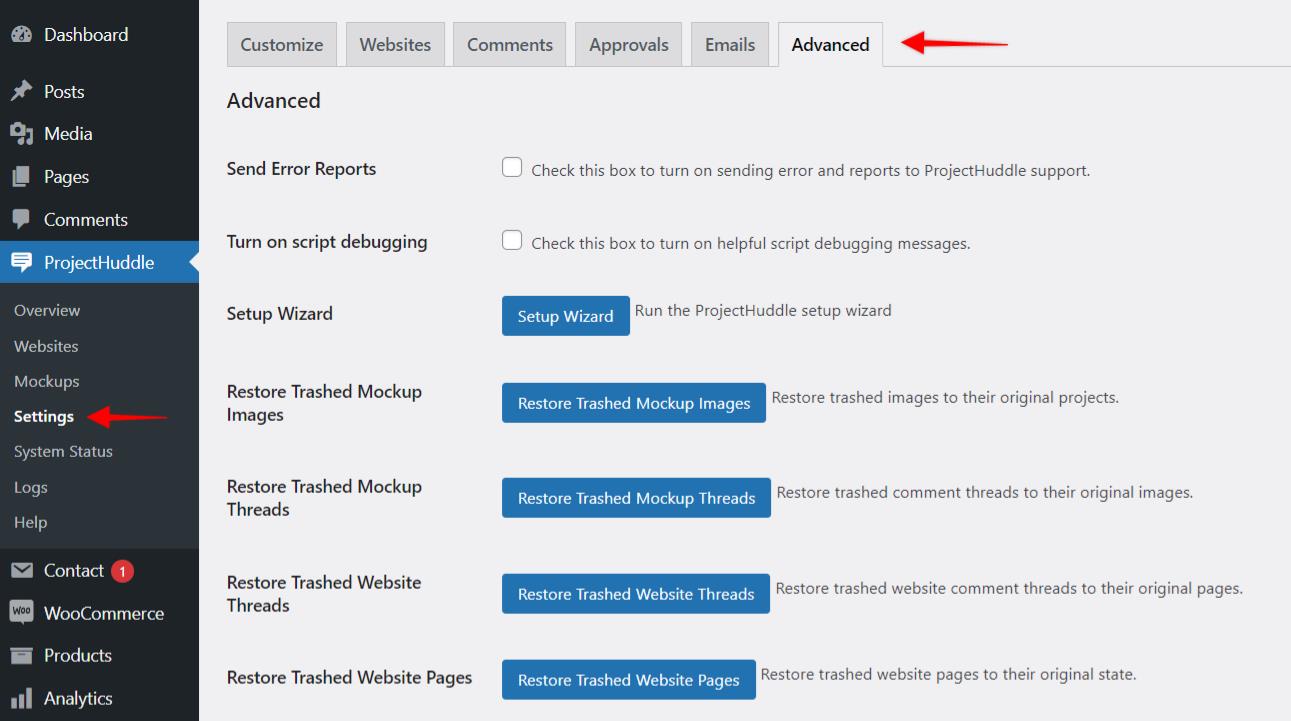
Restore Trashed Images
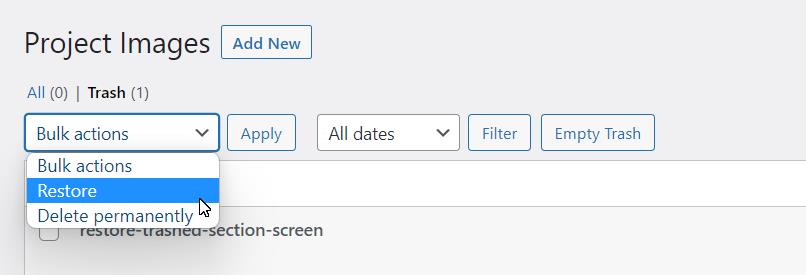
To restore images click the button, Restore Trashed Images, and it will take you to a list of trashed items. Select the ones you wish to restore and then from the top drop down menu bulk actions select Restore. Next, you might notice the restored items will be visible under the Drafts. Simply go to Quick Edit and mark them as Published.
Restore Trashed Comment Threads
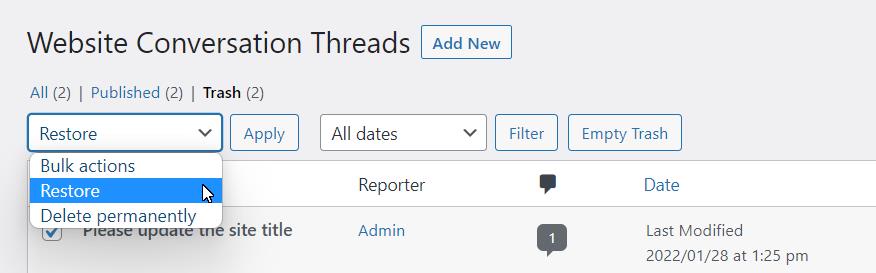
To restore comment threads, follow the same directions as above. Click the button, Restore Trashed Comment Threads, and it will take you to the list of trashed items. Select the ones you wish to restore and then from the top bulk actions drop-down menu select Restore. Next, you might notice the restored items will be visible under the Drafts. Simply go to Quick Edit and mark them as Published.
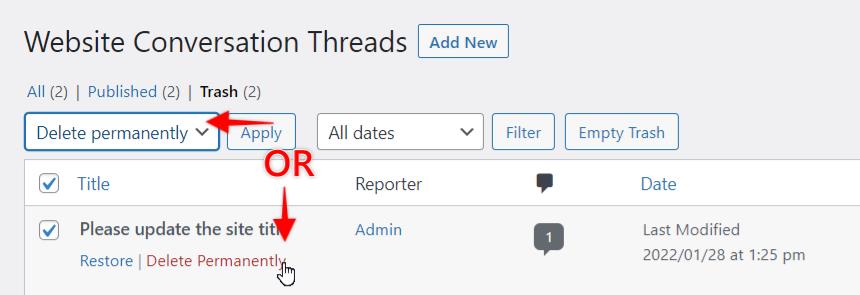
You can also choose to permanently delete these items by selecting Delete Permanently from the bulk items drop-down menu instead or individually from the individual iteams.
We don't respond to the article feedback, we use it to improve our support content.