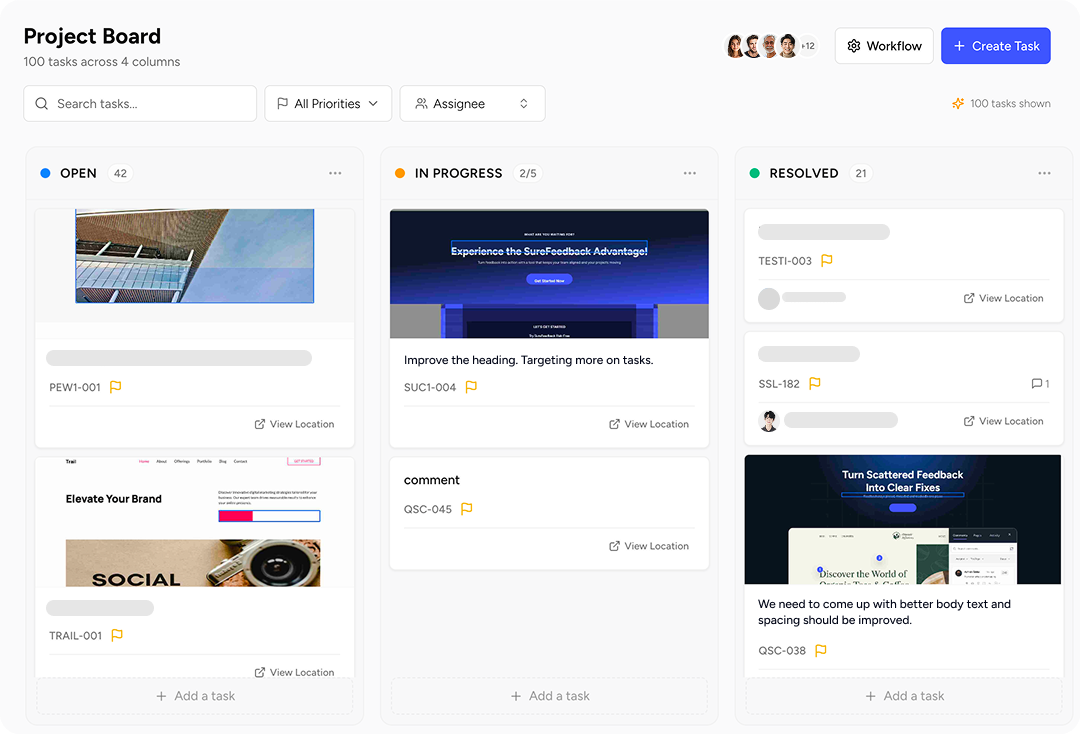
Manage website feedback with a visual Kanban board your entire team can use. Convert comments into tasks, assign them to teammates, and track progress from start to finish.
Clients and teammates leave feedback directly on your website.
Create Task Cards
Each comment automatically becomes a task on your Kanban board.
Assign & Organize
Add priorities, labels, due dates, and assign tasks to team members.
Track Progress
Drag tasks across columns as work moves from Open to Completed.
From Feedback to Completion. In One Workflow.
Every piece of feedback instantly becomes a task card on your board. Move tasks through your workflow, assign them to teammates, and track progress visually.
Create Tasks Anytime
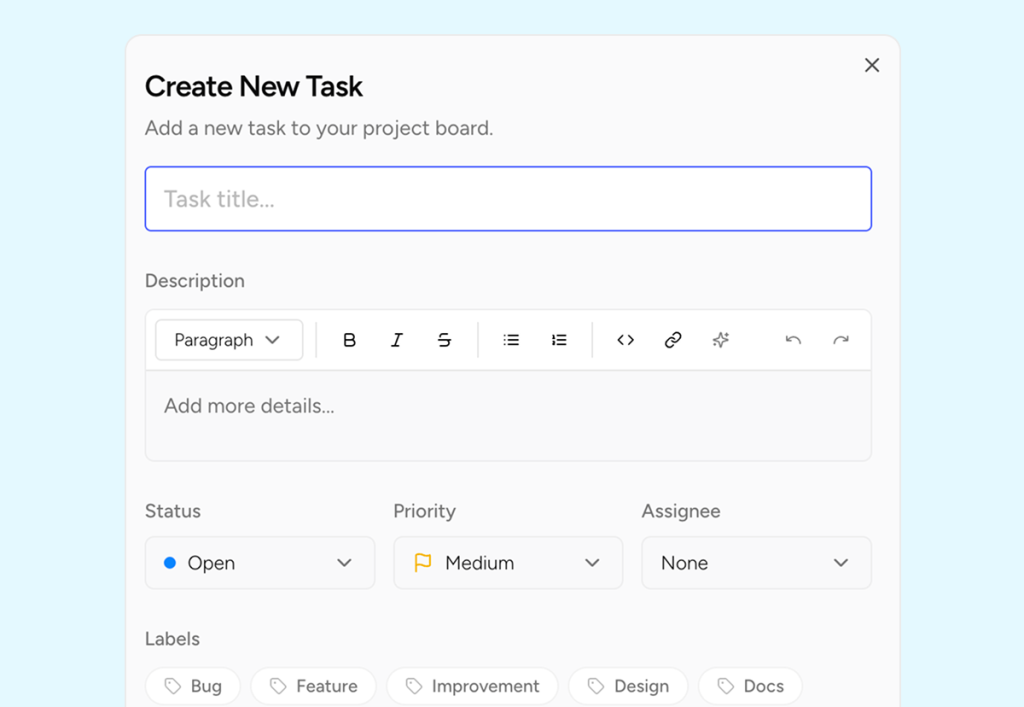
Not all tasks start as feedback. Quickly create new tasks directly from the board. Just click Create Task, add a title, description, priority, and assign it to the right teammate.
Build your own Workflow
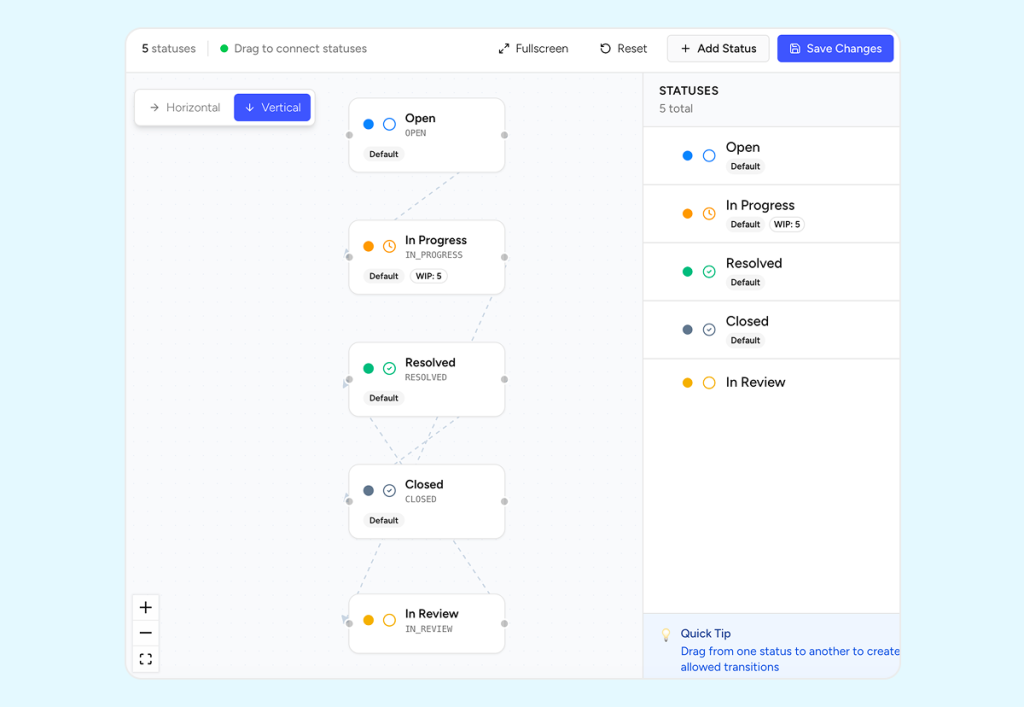
Every team works differently. Shape your Kanban board to match your workflow. Define stages, organize tasks with labels and priorities, and move work across the board as progress happens.
Stay On Top of Every Task
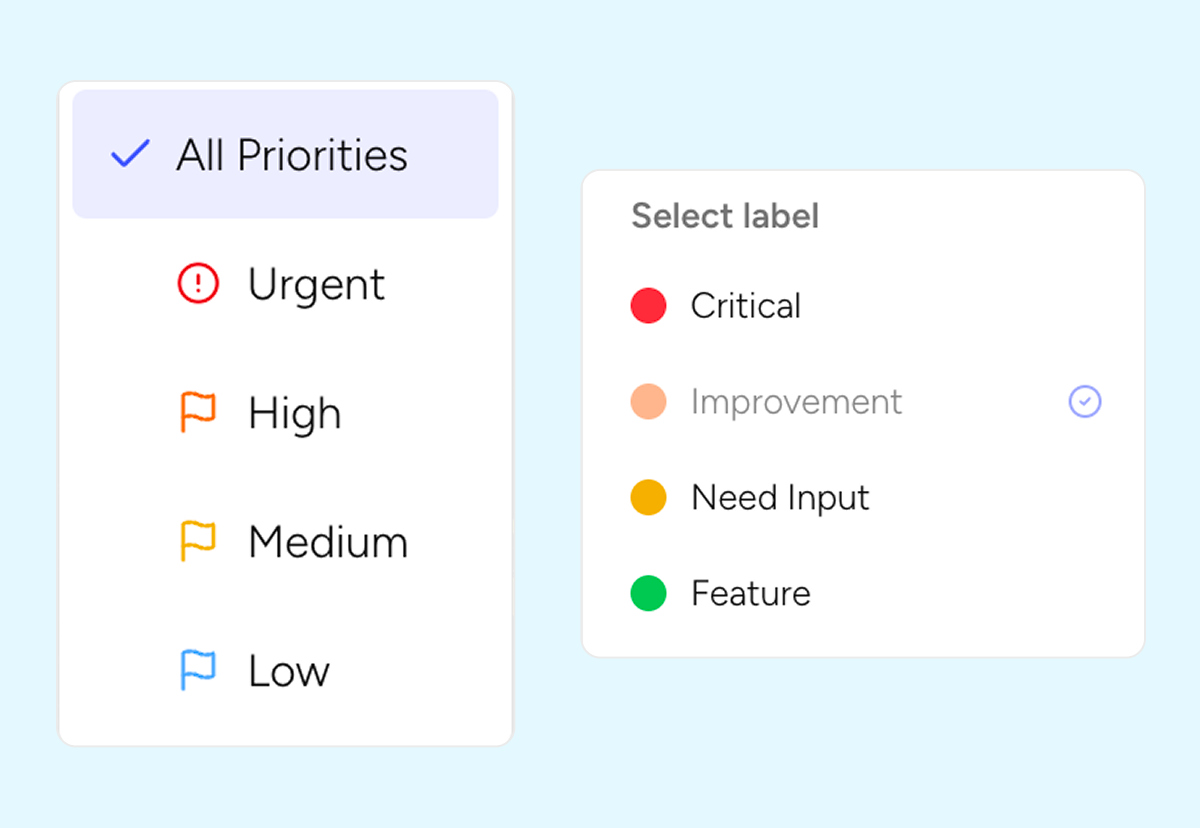
Quickly find what matters most. Filter tasks by priority, label, due date, or assignee to keep projects moving forward without confusion.
Start your free trial today
Ready to Transform Your Feedback?
Join thousands of teams collecting better feedback with SureFeedback